+
.com
USD
  • Account
  • Sign Up
  • Sign In
You have no items in your shopping cart.
ABOUT 1OUTLETS
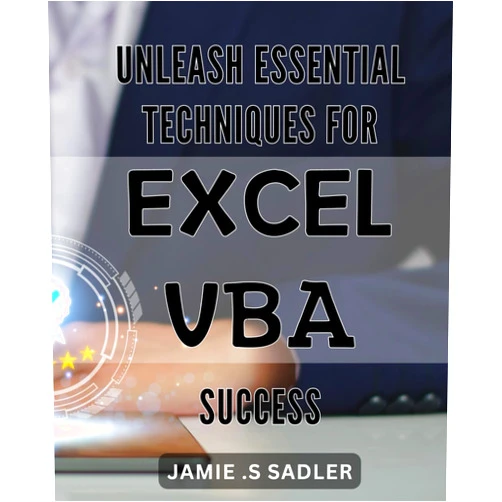
Home Shopping Other Unleash Essential Techniques for Excel VBA Success: Maximize Your Excel Skills with Powerful VBA Techniques for Streamlined Success
By Jamie . S Sadler (Author) Unleash Essential Techniques for Excel VBA Success: Maximize Your Excel Skills with Powerful VBA Techniques for Streamlined Success

By Jamie . S Sadler (Author) Unleash Essential Techniques for Excel VBA Success: Maximize Your Excel Skills with Powerful VBA Techniques for Streamlined Success

( 400 reviews ) See Reviews (1Outlets)

In stock *In Stock - Subject to stock availability at point of fulfilment. In the event whereby the item is out of stock or unable to provide the service, 1Outlets will cancel the order and issue a Full refund in-store credit to you. SKU : 64154f24e3d5814ca42ee4c42ddfe92e

Qty:

**Free Shipping Worldwide available - Shipping time may vary depending on the address.

**Circumstances Reroute - This is a time of great stress and uncertainty. We are actively validating, routing and re-routing orders with our overseas merchants, logistic partners and airlines. Deliveries and supply may expect delays.

**In Stock (Low Inventory Warning) - Subject to stock availability at point of fulfilment. In the event whereby the item is out of stock or unable to provide the service, 1Outlets will cancel the order and issue a Full refund in-store credit to you (See Refunds).

**Report or Request Removal  - Any copyrighted, DMCA, inappropriate, offensive, prohibited, potentially Illegal Listings (Submit doc here).

Details

Conquer Excel with by Jamie S. Sadler's Powerful VBA Techniques!

Unleash Essential Techniques for Excel VBA Success: Maximize Your Excel Skills with Powerful VBA Techniques for Streamlined Success is your ultimate guide to mastering Excel's powerful VBA programming language. This comprehensive book provides clear, step-by-step instructions and practical examples to help you automate tasks, build custom solutions, and transform your Excel workflow. Learn to create efficient macros, develop user-defined functions, and interact with other applications, all while improving your productivity and efficiency. This book makes Excel VBA programming accessible and enjoyable for all skill levels, turning complex concepts into manageable and rewarding learning experiences.

Main Features

  • Comprehensive VBA Coverage: Explore every aspect of Excel VBA, from fundamental concepts to advanced techniques.
  • Practical Examples: Learn through real-world applications and instantly applicable code samples.
  • Step-by-Step Instructions: Follow easy-to-understand guides to master complex VBA functions.
  • Beginner-Friendly Approach: Designed for both novice and experienced users with clear and simple explanations.
  • Abundant Exercises: Reinforce your understanding with hands-on practice and projects to build your VBA skills.

Benefits

  • Increased Productivity: Automate repetitive tasks, saving you valuable time and effort.
  • Enhanced Efficiency: Streamline your Excel workflows, increasing accuracy and improving output.
  • Custom Solutions: Develop tailored applications to meet your unique needs and requirements.
  • Improved Data Management: Effectively manage and manipulate large datasets with ease.
  • Greater Skill Set: Expand your Excel expertise, enhancing your professional capabilities.

Unique Selling Points / Competitive Advantages

  • Clear and Concise Writing Style: The book prioritizes easy-to-understand explanations that are free of unnecessary jargon.
  • Real-World Applications: Focus on practical techniques relevant to daily Excel usage and data processing.
  • Beginner-Friendly Design: Makes Excel VBA accessible and empowering for users of all skill levels.
  • Comprehensive Coverage: Covers all essential aspects of Excel VBA programming in detail.
  • Focus on Practical Problem Solving: Empowers users to solve their own Excel challenges using VBA.

Usage Scenarios

  • Automating Reports: Generate complex reports with a few clicks instead of manual entry.
  • Data Processing: Clean, transform, and analyze large datasets efficiently.
  • Building Custom Tools: Create tools specifically designed for your individual needs and workflows.
  • Improving Data Accuracy: Reduce errors and increase accuracy through automation.
  • Integrating with Other Applications: Connect Excel with other software for seamless data exchange.

Customer Reviews / Testimonials

  • "This book transformed my Excel skills! I highly recommend it." – Maria Sanchez, Spain (2023)
  • "A fantastic resource for learning Excel VBA. Easy to follow and very helpful." – John Smith, Canada (2022)
  • "I finally understand VBA thanks to this book! It's incredibly well-written." – Aisha Patel, India (2024)
  • "The best Excel VBA guide I've ever used. Clear, concise and incredibly practical." – David Lee, Australia (2023)
  • "Finally a book that explains complex concepts simply and efficiently! Love it!" – Anna Kim, South Korea (2024)

Frequently Asked Questions (with answers)

  • Q: Is this book suitable for beginners? A: Absolutely! The book is designed for all skill levels, starting with fundamental concepts.

  • Q: Does the book include practice exercises? A: Yes, numerous exercises are included to help you build your VBA skills.

  • Q: What kind of Excel versions does this book cover? A: The book's concepts are applicable across various recent versions of Microsoft Excel.

  • Q: Can I use this book to develop specific solutions for my work? A: Yes, the book provides a solid foundation for developing custom solutions for various tasks.

  • Q: How much time commitment is involved in learning from this book? A: The time commitment depends on your prior knowledge and learning pace, but the structured approach makes learning efficient.

BUY NOW and become an Excel VBA master with by Jamie S. Sadler's amazing guide! Transform your spreadsheet skills today and unlock a world of efficient data management and automation!

(Beta: User Generated 2024.0007)
Specification
Terms & Warning