+

In stock *In Stock - Subject to stock availability at point of fulfilment. In the event whereby the item is out of stock or unable to provide the service, 1Outlets will cancel the order and issue a Full refund in-store credit to you. SKU : fbcd726498b62bce8559a8c755f3c2e7
**Free Shipping Worldwide available - Shipping time may vary depending on the address.
**Circumstances Reroute - This is a time of great stress and uncertainty. We are actively validating, routing and re-routing orders with our overseas merchants, logistic partners and airlines. Deliveries and supply may expect delays.
**In Stock (Low Inventory Warning) - Subject to stock availability at point of fulfilment. In the event whereby the item is out of stock or unable to provide the service, 1Outlets will cancel the order and issue a Full refund in-store credit to you (See Refunds).
**Report or Request Removal - Any copyrighted, DMCA, inappropriate, offensive, prohibited, potentially Illegal Listings (Submit doc here).
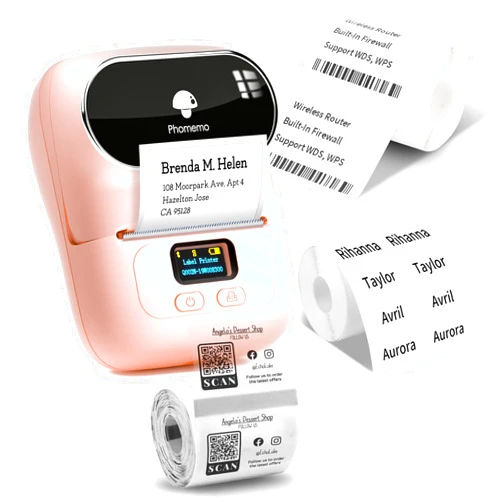
The Phomemo M110 Label Printer is your pocket-sized solution for creating adorable and functional labels. This mini Bluetooth portable label maker is incredibly easy to use, connecting seamlessly to your PC, Mac, iOS, or Android device. Print barcodes, address labels, organize your home, or craft personalized stickers – all without messy ink cartridges! The Phomemo M110 empowers creativity, adds a touch of whimsy, and simplifies organization for the whole family.
Q: How do I connect the printer to my phone? A: Use the Bluetooth connection feature within the app to pair your Phomemo M110 printer to your smartphone.
Q: What kind of labels does it use? A: The printer utilizes special Phomemo-compatible labels; please ensure to use correct labels for optimal printing.
Q: Can I print images? A: The Phomemo M110 offers various design options, and you can include images in your label designs.
Q: Is it difficult to use? A: No, the app has a straightforward interface, making it easy for everyone to use.
Q: What if my labels aren't printing correctly? A: Ensure the labels are properly aligned and that your Bluetooth connection is strong. Refer to the app’s troubleshooting section for further guidance.