+
.com
USD
  • Account
  • Sign Up
  • Sign In
You have no items in your shopping cart.
ABOUT 1OUTLETS
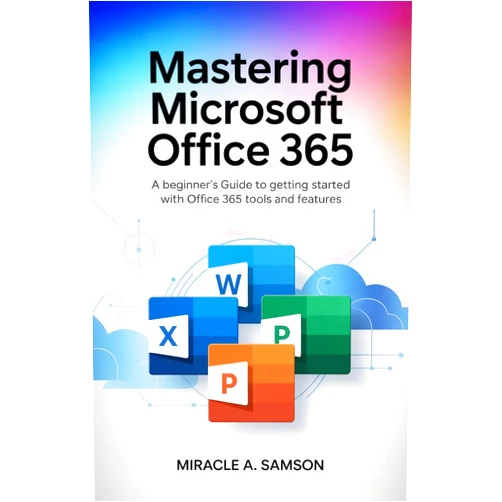
Home Shopping Books Computers & Technology Software Microsoft Microsoft Office Mastering Microsoft Office 365: A Beginner’s Guide to Getting Started with Office 365 Tools and Features
Miracle A. Samson Mastering Microsoft Office 365: A Beginner’s Guide to Getting Started with Office 365 Tools and Features

Miracle A. Samson Mastering Microsoft Office 365: A Beginner’s Guide to Getting Started with Office 365 Tools and Features

( 431 reviews ) See Reviews (1Outlets)

In stock *In Stock - Subject to stock availability at point of fulfilment. In the event whereby the item is out of stock or unable to provide the service, 1Outlets will cancel the order and issue a Full refund in-store credit to you. SKU : c7364791149bd7dc370e51ad054f0819

USD4.24
  • Buy 2 for USD3.64 each and save 16%
  • Buy 10 for USD3.16 each and save 34%
Qty:

**Free Shipping Worldwide available - Shipping time may vary depending on the address.

**Circumstances Reroute - This is a time of great stress and uncertainty. We are actively validating, routing and re-routing orders with our overseas merchants, logistic partners and airlines. Deliveries and supply may expect delays.

**In Stock (Low Inventory Warning) - Subject to stock availability at point of fulfilment. In the event whereby the item is out of stock or unable to provide the service, 1Outlets will cancel the order and issue a Full refund in-store credit to you (See Refunds).

**Report or Request Removal  - Any copyrighted, DMCA, inappropriate, offensive, prohibited, potentially Illegal Listings (Submit doc here).

Details

Here's the requested content:

Office 365, Your Adventure Starts Now!

Mastering Microsoft Office 365: A Beginner's Guide to Getting Started with Office 365 Tools and Features empowers young learners to embark on an exciting journey into the world of digital productivity. This comprehensive guide, crafted with a child's curiosity in mind, transforms complex concepts into engaging lessons. Learn to create amazing documents, collaborate on fun projects, and organize everything with ease. Prepare to unlock a universe of creativity and efficiency, as Mastering Microsoft Office 365 becomes your passport to digital success!

Main Features

  • Interactive Lessons: Discover the power of Office 365 through lively and fun activities. Learn by doing, with hands-on exercises that make learning enjoyable.
  • Step-by-Step Tutorials: Follow easy instructions to navigate Microsoft Office 365 tools. Simple and clear steps that break down complex tasks into manageable pieces.
  • Visual Guides: See how it's done with colorful illustrations and clear screenshots. Visual learners will thrive, with vibrant examples that boost understanding.
  • Fun Projects: Tackle engaging assignments that spark creativity and collaboration. Practice what you've learned through exciting, real-world tasks.
  • Age-Appropriate Content: Enjoy a guide designed just for young learners. Content tailored to match the interests and skills of children.

Benefits

  • Boost Confidence: Become a Microsoft Office 365 expert and feel amazing. Gain self-assurance by mastering valuable digital skills.
  • Improve Organization: Master the art of managing schoolwork and activities. Stay on top of things and feel more in control.
  • Enhance Creativity: Bring your ideas to life with powerful tools. Unlock your creative potential and express yourself through digital projects.
  • Develop Collaboration Skills: Work together with friends on exciting team projects. Learn the importance of teamwork and communication.
  • Future-Proof Skills: Prepare for a digital world by learning essential tech tools. Equip yourself with skills that matter in the modern age.

Unique Selling Points / Competitive Advantages

  • Child-Friendly Language: Office 365 concepts explained in easy-to-understand terms. Complex ideas presented in simple, relatable language.
  • Engaging Activities: Keeps kids entertained and interested in learning. Interactive exercises that make learning a blast.
  • Focus on Practical Skills: Develop real-world abilities applicable to school and beyond. Acquire skills that can be used in the classroom and in daily life.
  • Comprehensive Coverage: Covers a broad range of Office 365 apps and features. Learn everything from Word to PowerPoint, and more.
  • Simplified Interface: User-friendly design caters to younger users. Intuitive layout that is easy for children to navigate.

Usage Scenarios

  • School Projects: Create awesome presentations and reports. Use Microsoft PowerPoint to design visually appealing presentations.
  • Homework Assignments: Write, edit, and organize schoolwork with ease. Leverage Microsoft Word to create amazing documents.
  • Creative Writing: Craft stories, poems, and other literary pieces. Explore the possibilities of Office 365 to ignite a love of writing.
  • Family Communication: Collaborate on shared documents and lists. Use shared tools for family activities.
  • Organizing Events: Plan parties, school events and playdates. Use Microsoft Excel to make event lists and keep track of guests.

Customer Reviews / Testimonials

  • Sophia, United States, 2023: "My daughter loves this guide! It made learning Office 365 fun and easy."
  • Liam, Canada, 2023: "Finally, a resource that my kids can understand and use on their own!"
  • Aisha, United Kingdom, 2024: "This book transformed my child's approach to school projects. The lessons are clear, and the projects are exciting. Highly recommend!"
  • David, Australia, 2024: "My son felt a real sense of accomplishment after completing the exercises. He now excels in his tech skills!"
  • Mei, Singapore, 2024: "The book helped my daughter build confidence and explore the possibilities of Microsoft Office tools."

Frequently Asked Questions

  • What apps are covered in the guide? The guide focuses on popular apps like Microsoft Word, PowerPoint, Excel, and OneNote, alongside other features within Office 365.
  • Is this guide suitable for beginners? Yes! It's designed for young learners with little to no prior experience with Office 365.
  • Can my child use this guide independently? Absolutely! The step-by-step instructions and visual aids make it easy for kids to follow along on their own.
  • How does this guide help with schoolwork? It teaches practical skills that can be applied to school projects, homework, and presentations.
  • What if I have trouble understanding a concept? Each concept is broken down with clear explanations and examples that are easy to understand.

BUY NOW

Embark on an incredible journey and discover the wonders of digital learning! Don’t delay; with Office 365, your adventure awaits. Explore, create, and succeed with the most empowering learning guide!

(Beta: User Generated 2024.0007)
Specification
Category: Books > Computers & Technology > Software > Microsoft > Microsoft Office
Weight: 0.01kgs
Language: English
Terms & Warning