+
.com
USD
  • Account
  • Sign Up
  • Sign In
You have no items in your shopping cart.
ABOUT 1OUTLETS
Home Shopping Books Computers & Technology Graphics & Design E-learning With Camtasia Studio: A Step-by-step Buide to Producing High-quality, Professional E-learning Videos for Effective Screencasting and Training
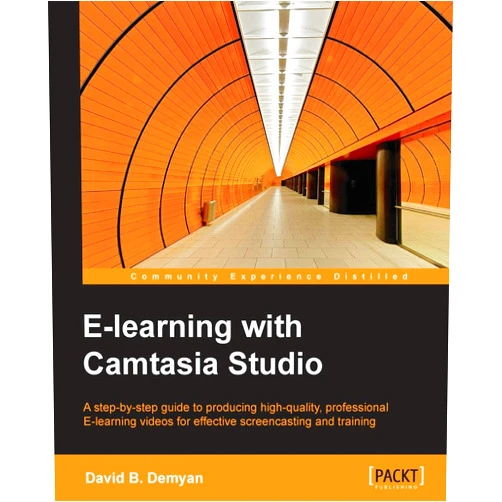
David B. Demyan E-learning With Camtasia Studio: A Step-by-step Buide to Producing High-quality, Professional E-learning Videos for Effective Screencasting and Training

David B. Demyan E-learning With Camtasia Studio: A Step-by-step Buide to Producing High-quality, Professional E-learning Videos for Effective Screencasting and Training

( 428 reviews ) See Reviews (1Outlets)

In stock *In Stock - Subject to stock availability at point of fulfilment. In the event whereby the item is out of stock or unable to provide the service, 1Outlets will cancel the order and issue a Full refund in-store credit to you. SKU : 317c297ab797126838b1f10add65f51e

Qty:

**Free Shipping Worldwide available - Shipping time may vary depending on the address.

**Circumstances Reroute - This is a time of great stress and uncertainty. We are actively validating, routing and re-routing orders with our overseas merchants, logistic partners and airlines. Deliveries and supply may expect delays.

**In Stock (Low Inventory Warning) - Subject to stock availability at point of fulfilment. In the event whereby the item is out of stock or unable to provide the service, 1Outlets will cancel the order and issue a Full refund in-store credit to you (See Refunds).

**Report or Request Removal  - Any copyrighted, DMCA, inappropriate, offensive, prohibited, potentially Illegal Listings (Submit doc here).

Details

Unleash Your Inner E-learning Pro with **David B. Demyan**!

David B. Demyan’s E-learning With Camtasia Studio: A Step-by-Step Guide to Producing High-Quality, Professional E-learning Videos for Effective Screencasting and Training is your comprehensive roadmap to creating captivating e-learning experiences. This in-depth guide walks you through every step, from initial setup to final production, empowering you to produce compelling videos that engage and educate. Master the art of screencasting and transform your training material into a dynamic and interactive learning journey using Camtasia Studio.

Main Features

  • Comprehensive Training: A thorough guide, covering everything from software setup to post-production strategies, ensuring a full understanding of all steps.
  • Practical Application: Includes real-world examples and templates to help you quickly implement techniques in your projects.
  • Expert Guidance: Learn from a professional e-learning expert's experience, guaranteeing that techniques are up-to-date and effective.
  • Interactive Exercises: Engage in hands-on activities to reinforce learning and solidify skills in a practical and interactive manner.
  • Screencasting Mastery: Specialize in the art of screencasting to build engaging and high-impact e-learning videos, enabling you to create compelling lessons.

Benefits

  • Elevated Production Quality: Equip yourself with the skills to produce professional-grade videos, enhancing the visual appeal and impact of your training materials.
  • Enhanced Engagement: Capture and maintain learner attention through dynamic screencasting techniques, fostering a more enjoyable and effective learning experience.
  • Increased Learning Outcomes: Improve knowledge retention and application through practical exercises and interactive content, leading to a more comprehensive understanding of the material.
  • Simplified Workflow: Optimize the entire video production process using simple, easy-to-follow steps and expert strategies, saving you time and effort.
  • Boosts Credibility: Showcase your proficiency in creating high-quality e-learning content, boosting your credibility in the educational field and attracting more learners.

Unique Selling Points / Competitive Advantages

  • Step-by-Step Approach: Provides an organized and easy-to-follow guide, ensuring that learners of all skill levels can grasp the concepts and techniques.
  • Practical Exercises: Provides hands-on practice and exercises in every module to keep the material engaging and allow for active skill application.
  • Real-World Case Studies: Features case studies to demonstrate how concepts can be effectively implemented in real-world scenarios, showcasing practicality.
  • Software Mastery: Deep dive into utilizing Camtasia Studio effectively for producing high-quality screencasts, focusing on the software and its effective use.
  • Adaptable Techniques: Provides actionable techniques for creating engaging e-learning courses and training materials applicable across different industries, making the guide universally useful.

Usage Scenarios

  • E-learning Developers: Use the guide to create compelling e-learning modules for various subjects.
  • Educators: Craft engaging presentations and training materials for students through a practical and interactive approach.
  • Corporate Trainers: Develop professional-grade screencasts for staff training and development.
  • Online Instructors: Create engaging video lessons for online courses.
  • Content Creators: Produce high-quality screen recordings for tutorials and demonstrations, boosting online presence.

Customer Reviews / Testimonials

  • Maria Hernandez, Spain (2023): "This guide provided amazing insights into using Camtasia Studio. The step-by-step approach made everything so clear. Highly recommended!"
  • David Lee, USA (2022): "The practical exercises were truly beneficial! I learned so much in a short time about creating compelling e-learning videos. Great product!"
  • Anika Sharma, India (2023): "I'm a beginner, and this guide is incredibly beginner-friendly. I'm already seeing significant improvements in my screencasts. Excellent value."

Frequently Asked Questions

  • Q: What software is required for this guide? A: Camtasia Studio is the primary software used in this guide.

  • Q: Do I need prior experience in video editing? A: No prior video editing experience is needed.

  • Q: How long will it take to complete this course? A: This guide is designed to be completed at your own pace.

  • Q: What type of audience is this guide for? A: Anyone interested in producing high-quality e-learning videos using Camtasia Studio.

  • Q: What formats of digital media will be involved in this e-learning course? A: The course emphasizes digital videos and screen recordings using Camtasia Studio.

BUY NOW

Become a screencasting superstar today with David B. Demyan's comprehensive guide! Transform your e-learning videos into engaging and impactful lessons.

(Beta: User Generated 2024.0007)
Specification
Category: Books > Computers & Technology > Graphics & Design
Author:

David B. Demyan

Weight: 0.3401942772kgs
Language: English
ISBN-13: 978-1849698665
Terms & Warning