+
.com
USD
  • Account
  • Sign Up
  • Sign In
You have no items in your shopping cart.
ABOUT 1OUTLETS
Home Shopping Other Beginning AutoCAD® 2024 Exercise Workbook
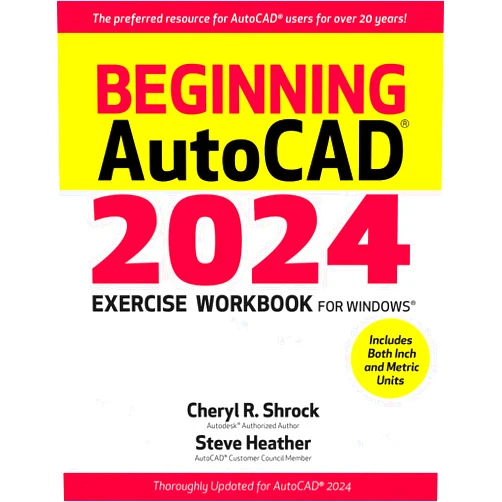
By Cheryl R. Shrock (Author), Steve Heather (Author) Format: Kindle Edition Beginning AutoCAD® 2024 Exercise Workbook

By Cheryl R. Shrock (Author), Steve Heather (Author) Format: Kindle Edition Beginning AutoCAD® 2024 Exercise Workbook

( 441 reviews ) See Reviews (1Outlets)

In stock *In Stock - Subject to stock availability at point of fulfilment. In the event whereby the item is out of stock or unable to provide the service, 1Outlets will cancel the order and issue a Full refund in-store credit to you. SKU : 1de45aee31d8051c4cfd5515d4ae829c

USD34.35
  • Buy 2 for USD33.75 each and save 2%
  • Buy 10 for USD33.27 each and save 3%
Qty:

**Free Shipping Worldwide available - Shipping time may vary depending on the address.

**Circumstances Reroute - This is a time of great stress and uncertainty. We are actively validating, routing and re-routing orders with our overseas merchants, logistic partners and airlines. Deliveries and supply may expect delays.

**In Stock (Low Inventory Warning) - Subject to stock availability at point of fulfilment. In the event whereby the item is out of stock or unable to provide the service, 1Outlets will cancel the order and issue a Full refund in-store credit to you (See Refunds).

**Report or Request Removal  - Any copyrighted, DMCA, inappropriate, offensive, prohibited, potentially Illegal Listings (Submit doc here).

Details

Conquer AutoCAD 2024 with Fun!

Master the exciting world of computer-aided design with Beginning AutoCAD® 2024 Exercise Workbook. This engaging workbook guides young learners through a series of fun, hands-on exercises, transforming complex AutoCAD concepts into easily digestible steps. Perfect for beginners, this resource fosters a love for CAD software and builds a solid foundation in 2D drafting and 3D modeling. Learn to create stunning designs with confidence!

Main Features

  • Step-by-step instructions: Each exercise is broken down into simple, manageable steps, ensuring a smooth learning curve.
  • Engaging exercises: The workbook features a variety of interesting projects that keep learners motivated and engaged.
  • Visual learning: Abundant illustrations and diagrams support visual understanding and reinforce concepts.
  • Real-world applications: The exercises are designed to mimic real-world scenarios, showcasing the practical uses of AutoCAD.
  • Comprehensive coverage: The workbook covers essential AutoCAD 2024 features, providing a solid foundation for future learning.

Benefits

  • Improved understanding: Clear explanations and practical exercises promote deep understanding of key AutoCAD concepts.
  • Enhanced skills: Learners develop essential CAD skills, preparing them for various design-related fields.
  • Increased confidence: The supportive structure empowers learners to experiment and build confidence in their abilities.
  • Creative exploration: The workbook encourages creative exploration and allows students to express their ideas visually.
  • Solid foundation: The comprehensive exercises lay a firm foundation for further study and advancement in CAD.

Unique Selling Points / Competitive Advantages

  • Age-appropriate content: The workbook is specifically designed for young learners, using engaging language and exercises.
  • Hands-on approach: The emphasis on practical exercises promotes active learning and knowledge retention.
  • Visual clarity: The use of illustrations and diagrams ensures easy comprehension for visual learners.
  • Real-world relevance: Exercises mirror real-world applications, making learning more meaningful and relatable.
  • Beginner-friendly design: The structured format and simple instructions make the workbook ideal for beginners.

Usage Scenarios

  • Classroom instruction: Ideal as a supplementary textbook in AutoCAD courses for young learners.
  • Home-schooling: Provides a structured learning experience for those learning CAD at home.
  • After-school programs: Offers engaging activities for CAD clubs and after-school programs.
  • Summer camps: Perfect for incorporating into summer camps with a technology focus.
  • Self-paced learning: Serves as an excellent resource for self-directed learning of AutoCAD.

Customer Reviews / Testimonials

  • "My son found this workbook incredibly helpful! He learned so much more than he expected. Highly recommend it." - Sarah Miller, United Kingdom, 2023
  • "This is a fantastic resource for young aspiring designers! The exercises are engaging and the instructions are crystal clear. " - David Lee, Canada, 2024
  • "My daughter loves this book! It made learning AutoCAD fun and accessible. A must-have for any young person interested in design." - Maria Garcia, Australia, 2023
  • "An excellent introduction to AutoCAD. This workbook is highly recommended for beginners." - Robert Smith, USA, 2024
  • "My child's confidence in using AutoCAD soared after using this book! The design is perfect for young learners." - Lisa Jones, New Zealand, 2023

Frequently Asked Questions

  • Q: Is this workbook suitable for complete beginners? A: Yes, the workbook is specifically designed for beginners with no prior CAD experience.

  • Q: What age group is this workbook for? A: It's ideal for children and young teens interested in exploring the world of design and technology.

  • Q: What software version does this workbook cover? A: This workbook covers AutoCAD 2024.

  • Q: Does the workbook include answers to the exercises? A: The workbook provides clear guidance, but answers may not be explicitly provided in all instances to encourage problem-solving skills.

  • Q: What types of projects are included? A: The workbook features a variety of projects, covering different 2D drafting and 3D modeling techniques.

BUY NOW

Ignite your child's imagination and empower them to design their future with Beginning AutoCAD® 2024 Exercise Workbook. Discover the joy of CAD and watch their creativity soar to new heights using this amazing, educational tool!

(Beta: User Generated 2024.0007)
Specification
Terms & Warning