+
.com
USD
  • Account
  • Sign Up
  • Sign In
You have no items in your shopping cart.
ABOUT 1OUTLETS
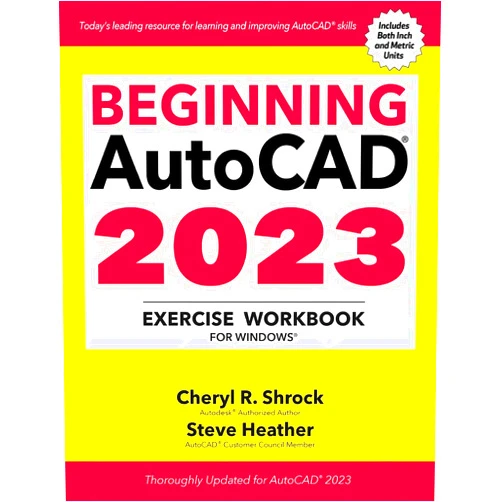
Home Shopping Other Beginning AutoCAD® 2023 Exercise Workbook: For Windows®
By Cheryl R. Shrock (Author), Steve Heather (Author) Beginning AutoCAD® 2023 Exercise Workbook: For Windows®

By Cheryl R. Shrock (Author), Steve Heather (Author) Beginning AutoCAD® 2023 Exercise Workbook: For Windows®

( 249 reviews ) See Reviews (1Outlets)

In stock *In Stock - Subject to stock availability at point of fulfilment. In the event whereby the item is out of stock or unable to provide the service, 1Outlets will cancel the order and issue a Full refund in-store credit to you. SKU : 9a88c40fdd4f39102993451808a320c0

USD25.11
  • Buy 2 for USD24.81 each and save 1%
  • Buy 10 for USD24.39 each and save 3%
Qty:

**Free Shipping Worldwide available - Shipping time may vary depending on the address.

**Circumstances Reroute - This is a time of great stress and uncertainty. We are actively validating, routing and re-routing orders with our overseas merchants, logistic partners and airlines. Deliveries and supply may expect delays.

**In Stock (Low Inventory Warning) - Subject to stock availability at point of fulfilment. In the event whereby the item is out of stock or unable to provide the service, 1Outlets will cancel the order and issue a Full refund in-store credit to you (See Refunds).

**Report or Request Removal  - Any copyrighted, DMCA, inappropriate, offensive, prohibited, potentially Illegal Listings (Submit doc here).

Details

Master AutoCAD 2023 with Fun and Ease!

Beginning AutoCAD® 2023 Exercise Workbook: For Windows® is your perfect guide to conquering the world of computer-aided design. This engaging workbook uses a hands-on approach, transforming complex concepts into manageable, enjoyable exercises. Ideal for students and beginners, it provides a solid foundation in AutoCAD 2023 software, building confidence with each completed project. This step-by-step learning experience will take you from novice to proficient in no time.

Main Features

  • Comprehensive Exercises: Covering a wide range of AutoCAD tools and techniques.
  • Step-by-Step Instructions: Clear, concise guidance ensures easy comprehension.
  • Real-World Applications: Exercises mimic real-world design challenges.
  • Visual Learning: Abundant illustrations enhance understanding.
  • Practice Projects: Reinforce learning and build skill confidence.

Benefits

  • Improved CAD Skills: Develop proficiency in AutoCAD 2023 software.
  • Increased Confidence: Master complex tools with ease and grace.
  • Enhanced Creativity: Explore design possibilities and express your ideas.
  • Better Job Prospects: Gain a valuable skill for many professions.
  • Fun Learning Experience: Enjoy the process of mastering AutoCAD software.

Unique Selling Points / Competitive Advantages

  • Beginner-Friendly Approach: Designed specifically for those new to CAD software.
  • Engaging Exercises: Maintain interest and motivation throughout the learning process.
  • Windows-Specific Content: Focuses on the Windows operating system.
  • Practical Application: Directly applicable to various design fields.
  • Effective Learning Methodology: Combines theory with practical application for optimum results.

Usage Scenarios

  • Educational Settings: Ideal for high school, college, and vocational training programs.
  • Self-Learning: Perfect for individuals wanting to learn AutoCAD at their own pace.
  • Professional Development: Useful for professionals looking to enhance their AutoCAD skills.
  • Hobbyists and Enthusiasts: Appeals to those with an interest in design and technology.
  • Training Programs: An excellent resource for corporate training and development initiatives.

Customer Reviews / Testimonials

  • "This workbook made learning AutoCAD a breeze!" - Maria S., Spain (2023)
  • "Highly recommend for anyone starting out with AutoCAD 2023" - David L., Canada (2023)
  • "Excellent resource for students and professionals alike." - Aisha K., Nigeria (2024)
  • "The exercises are well-structured and easy to follow." - John B., USA (2024)
  • "I learned more from this workbook than any other AutoCAD tutorial!" - Kenji T., Japan (2024)

Frequently Asked Questions

  • Q: Is prior CAD experience necessary? A: No, this workbook is designed for beginners.
  • Q: What version of AutoCAD does it cover? A: AutoCAD 2023.
  • Q: What operating system is supported? A: Windows.
  • Q: Is it suitable for all age groups? A: Yes, it's designed to be accessible and engaging for everyone.
  • Q: How long does it take to complete? A: The time required varies depending on individual learning pace.

BUY NOW

Elevate your AutoCAD skills today with this exceptional workbook! Acquire a valuable and sought-after skillset, opening doors to exciting career opportunities and creative design adventures. Start your AutoCAD 2023 journey now, with Beginning AutoCAD® 2023 Exercise Workbook!

(Beta: User Generated 2024.0007)
Specification
Category: Other
Weight: 1.2927382545000001kgs
Language: English
ISBN-13: 978-0831136796
Terms & Warning