+
.com
USD
  • Account
  • Sign Up
  • Sign In
You have no items in your shopping cart.
ABOUT 1OUTLETS
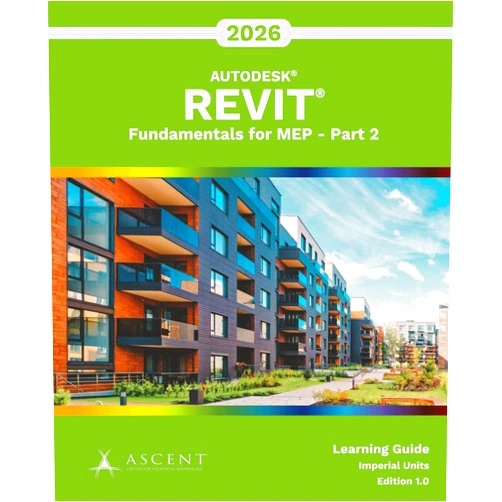
Home Shopping Other Autodesk Revit 2026: Fundamentals for MEP - Part 2 (Imperial Units)
By Ascent - Center for Technical Knowledge (Author) Autodesk Revit 2026: Fundamentals for MEP - Part 2 (Imperial Units)

By Ascent - Center for Technical Knowledge (Author) Autodesk Revit 2026: Fundamentals for MEP - Part 2 (Imperial Units)

( 276 reviews ) See Reviews (1Outlets)

In stock *In Stock - Subject to stock availability at point of fulfilment. In the event whereby the item is out of stock or unable to provide the service, 1Outlets will cancel the order and issue a Full refund in-store credit to you. SKU : c4df071cb5fa5590d0616b21eb32ab61

Qty:

**Free Shipping Worldwide available - Shipping time may vary depending on the address.

**Circumstances Reroute - This is a time of great stress and uncertainty. We are actively validating, routing and re-routing orders with our overseas merchants, logistic partners and airlines. Deliveries and supply may expect delays.

**In Stock (Low Inventory Warning) - Subject to stock availability at point of fulfilment. In the event whereby the item is out of stock or unable to provide the service, 1Outlets will cancel the order and issue a Full refund in-store credit to you (See Refunds).

**Report or Request Removal  - Any copyrighted, DMCA, inappropriate, offensive, prohibited, potentially Illegal Listings (Submit doc here).

Details

Build Your Future with Ascent!

Autodesk Revit 2026: Fundamentals for MEP - Part 2 (Imperial Units), the gateway to a world of MEP design mastery! This learning experience guides you step-by-step, empowering you to create detailed, efficient, and sustainable building systems within the Revit environment. Embrace the power of BIM and watch your technical knowledge and skills soar!

Main Features

  • Comprehensive Curriculum: Dive deep into the core concepts and methodologies required to master MEP design within Revit 2026.
    • This detailed curriculum covers all the critical elements to becoming a proficient user of Revit for MEP systems.
  • Imperial Units Focus: Tailored for users working with Imperial units, ensuring precise and accurate model development.
    • The entire learning path, the exercises, and examples consistently use Imperial units to give students a proper and confident training.
  • Step-by-Step Guidance: Easy-to-follow instructions and hands-on exercises make learning complex tasks easy and fun.
    • Each lesson contains easy and clear steps, allowing for a structured and enjoyable learning experience.
  • Hands-on Projects: Apply your new skills through practical projects that simulate real-world scenarios.
    • The projects include a wide range of real-world scenarios, allowing the students to have practical experience.
  • Expertly Crafted Content: Developed by industry experts at Ascent - Center for Technical Knowledge, ensuring quality and accuracy.
    • Ascent ensures that the course is written by industry experts, with updated content that is suitable for all levels of users.

Benefits

  • Boost Your Skills: Acquire the essential skills required for MEP design using Revit.
    • Students gain a deep understanding of core MEP concepts and design techniques.
  • Enhance Efficiency: Streamline your workflow and save valuable time with proven Revit techniques.
    • Revit students learn how to efficiently navigate the software, decreasing the work time.
  • Improve Accuracy: Create more accurate and reliable MEP designs with precision and detail.
    • Students will learn how to create more detailed MEP designs with great accuracy.
  • Increase Productivity: Become a more productive and confident Revit user, completing projects with greater speed.
    • With practical lessons, students increase their productivity and become more confident using Revit.
  • Career Advancement: Take your career to the next level by mastering in-demand BIM skills.
    • BIM skill training enhances the value of the trainees in the career market.

Unique Selling Points / Competitive Advantages

  • Industry-Leading Content: Benefit from content created by Ascent, a trusted name in technical training.
    • The product is backed by industry leaders that deliver top-quality training materials for the users.
  • Focus on Practical Application: Learn by doing, with projects that mirror real-world challenges.
    • Students can apply and practice what they learn through hands-on project examples and exercises.
  • User-Friendly Design: Navigate the course with ease, thanks to its clear and intuitive structure.
    • The structure is designed for ease of understanding, and the course is suitable for every age.
  • Imperial Units Emphasis: Specifically tailored to the needs of users working with Imperial units.
    • Focusing on Imperial units, the course is designed to meet the learning needs for specific professionals.
  • Comprehensive Resource: A complete package providing everything you need to become proficient with Revit for MEP.
    • The course is designed with all the materials that are needed for MEP users to master the software.

Usage Scenarios

  • New Design Projects: Use the course to create MEP models for new building designs.
    • The course helps the students to model all of the MEP components within new projects with a high level of accuracy.
  • Existing Building Renovations: Learn how to model existing MEP systems for renovations and upgrades.
    • Students learn how to remodel MEP systems when the existing building's MEP components need upgrades.
  • Coordination with Architects: Understand how to collaborate effectively with architects and other disciplines.
    • Students learn how to perform efficient collaboration with other disciplines and architects.
  • Sustainable Design: Discover how to incorporate sustainable design principles into your MEP models.
    • The training helps the students to incorporate sustainable design principles within their MEP models.
  • Creating Construction Documents: Learn how to generate accurate and detailed construction documentation.
    • The training helps in the creation of accurate and detailed construction documentation.

Customer Reviews / Testimonials

  • "This course transformed my understanding of Revit for MEP! The step-by-step guidance was perfect, and I now feel confident in my design capabilities." - John Smith, United Kingdom, 2023
  • "The hands-on projects were fantastic. I was able to quickly apply what I learned and see real results." - Maria Rodriguez, Spain, 2023
  • "The content is incredibly well-organized and the focus on Imperial units was exactly what I needed." - David Chen, Canada, 2024
  • "A great resource for anyone looking to advance their MEP design skills. Highly recommended!" - Ahmed Khan, UAE, 2023
  • "This is a must-have for all Revit beginners. The course structure and the quality of the content are unparalleled." - Emily Carter, Australia, 2024

Frequently Asked Questions

  • Q: Who is this course for?
    • A: This course is perfect for MEP professionals, Revit users, students, and anyone wanting to improve their skills in Revit for MEP.
  • Q: What prior knowledge is required?
    • A: No prior experience with Revit is required, though some basic understanding of MEP concepts is helpful.
  • Q: Does the course include practice files?
    • A: Yes, the course includes numerous practice files that the students can use and apply the course to practice.
  • Q: Will I receive a certificate upon completion?
    • A: There is no certificate, but the student will gain the skills and knowledge to use Revit for MEP successfully.
  • Q: What software version does the course cover?
    • A: The course is designed for Autodesk Revit 2026.

BUY NOW

Supercharge your BIM journey and become an MEP design visionary! Don't let your dreams of architectural brilliance be delayed – grab Ascent's Autodesk Revit 2026: Fundamentals for MEP - Part 2 (Imperial Units) now and watch your potential explode!

(Beta: User Generated 2024.0007)
Specification
Terms & Warning