+
.com
USD
  • Account
  • Sign Up
  • Sign In
You have no items in your shopping cart.
ABOUT 1OUTLETS
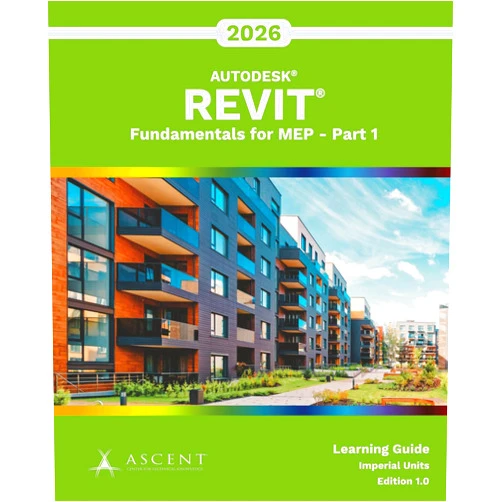
Home Shopping Other Autodesk Revit 2026: Fundamentals for MEP - Part 1 (Imperial Units)
By Ascent - Center for Technical Knowledge (Author) Autodesk Revit 2026: Fundamentals for MEP - Part 1 (Imperial Units)

By Ascent - Center for Technical Knowledge (Author) Autodesk Revit 2026: Fundamentals for MEP - Part 1 (Imperial Units)

( 215 reviews ) See Reviews (1Outlets)

In stock *In Stock - Subject to stock availability at point of fulfilment. In the event whereby the item is out of stock or unable to provide the service, 1Outlets will cancel the order and issue a Full refund in-store credit to you. SKU : 385a8b79a7491b96782f6f7f2322b025

USD32.45
  • Buy 2 for USD31.85 each and save 2%
  • Buy 10 for USD31.37 each and save 3%
Qty:

**Free Shipping Worldwide available - Shipping time may vary depending on the address.

**Circumstances Reroute - This is a time of great stress and uncertainty. We are actively validating, routing and re-routing orders with our overseas merchants, logistic partners and airlines. Deliveries and supply may expect delays.

**In Stock (Low Inventory Warning) - Subject to stock availability at point of fulfilment. In the event whereby the item is out of stock or unable to provide the service, 1Outlets will cancel the order and issue a Full refund in-store credit to you (See Refunds).

**Report or Request Removal  - Any copyrighted, DMCA, inappropriate, offensive, prohibited, potentially Illegal Listings (Submit doc here).

Details

Elevate Your MEP Design Potential

Autodesk Revit 2026: Fundamentals for MEP - Part 1 (Imperial Units), the gateway to architectural design mastery! This engaging tutorial empowers young learners to embark on a thrilling adventure into the heart of building design. Watch as ideas transform into tangible models, sparking innovation and fostering a passion for the built environment.

Unveiling the Marvels of Revit!

  • Main Features:
    • Interactive tutorials guide beginners through Revit's core functionalities.
    • Clear, concise explanations decode complex concepts in easily digestible chunks.
    • Hands-on exercises allow young architects to construct their own virtual buildings.
    • Imperial units provide the tools to create professional building plans.
    • Learn everything you need to know about the fundamentals of MEP systems.
  • Benefits:
    • Boost creative confidence and architectural know-how.
    • Develop problem-solving skills through real-world design challenges.
    • Visualize concepts, and create stunning 3D models.
    • Build a firm foundation in architectural MEP principles.
    • Prepare for exciting future careers in the design world.
  • Unique Selling Points / Competitive Advantages:
    • Tailored specifically for young enthusiasts and architectural visionaries.
    • A child-friendly approach simplifies technical concepts.
    • Employs vivid language and exciting imagery to captivate young minds.
    • Provides a fun and easy way to learn Revit.
    • A gateway to building dreams.
  • Usage Scenarios:
    • Home projects to create their dream room.
    • Learning about MEP principles and systems through virtual models.
    • Team projects to work with other young architectural students.
    • Practicing modeling in the best design platform.
    • Gaining experience and confidence in Autodesk Revit.
  • Customer Reviews / Testimonials:
    • "My son, age 10, now dreams of being an architect, thanks to this course! He can't get enough of building things in Revit!" – Sarah, USA, 2023.
    • "A fantastic introduction to the world of architecture for young learners. Clear, concise, and engaging!" – Ahmed, Egypt, 2024.
    • "This course is the start of a great journey for future architects" - Pablo, Argentina, 2023.
  • Frequently Asked Questions (with answers):
    • Is this course suitable for complete beginners? Absolutely! The course is designed for those with no prior Revit experience.
    • Do I need any special software or hardware? All you need is Autodesk Revit and a computer.
    • How long will it take to complete the course? This depends on the learner, but the modules are designed to be completed at your own pace.
    • Can I use this course on a tablet or phone? Yes, you can access the course.
    • Does this include a certificate? No, the course doesn't include a certificate, but it does include a great foundation of knowledge.

BUY NOW

Transform your imagination into reality and empower your creative spirit with the knowledge of Ascent - Center for Technical Knowledge! Secure your future today and build the architectural landscape!

(Beta: User Generated 2024.0007)
Specification
Terms & Warning