+

In stock *In Stock - Subject to stock availability at point of fulfilment. In the event whereby the item is out of stock or unable to provide the service, 1Outlets will cancel the order and issue a Full refund in-store credit to you. SKU : f95e956796ec89974ad7efe9b3d4bf21
**Free Shipping Worldwide available - Shipping time may vary depending on the address.
**Circumstances Reroute - This is a time of great stress and uncertainty. We are actively validating, routing and re-routing orders with our overseas merchants, logistic partners and airlines. Deliveries and supply may expect delays.
**In Stock (Low Inventory Warning) - Subject to stock availability at point of fulfilment. In the event whereby the item is out of stock or unable to provide the service, 1Outlets will cancel the order and issue a Full refund in-store credit to you (See Refunds).
**Report or Request Removal - Any copyrighted, DMCA, inappropriate, offensive, prohibited, potentially Illegal Listings (Submit doc here).
Design Dreams, Build Wonders with Brooks!
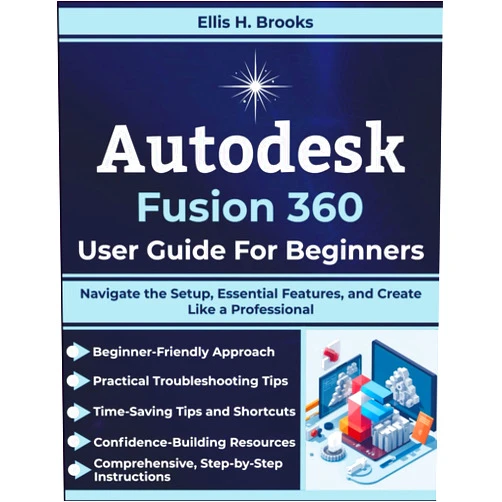
Autodesk Fusion 360 User Guide For Beginners by Ellis H. Brooks is your gateway to the captivating world of 3D design and manufacturing. This guide empowers young creators, future engineers, and curious minds to sculpt amazing digital creations. Through clear, step-by-step instructions, budding designers will learn to master Autodesk Fusion 360, turning imagination into tangible realities. Watch as your ideas take shape, transforming into stunning 3D models and sparking a lifelong passion for innovation.
Main Features
Intuitive Interface Introduction: Discover the user-friendly layout of Fusion 360, navigating menus and tools with ease and making your first design in minutes.
Step-by-Step Modeling Tutorials: Follow detailed instructions to create intricate 3D models, learning basic and advanced techniques for shaping virtual objects.
Essential Feature Mastery: Learn how to create sketches, extrude shapes, apply materials, and add stunning visual effects that bring your models to life.
Simulation Techniques: Get to experience the world of simulations, allowing you to test out ideas and explore how your creations will act in the real world.
Workspace Optimization: Learn how to set up your workspace and customize it to boost your creative flow.
Benefits
Boost Creativity: Fusion 360 unlocks your imagination, giving you the tools to transform your ideas into tangible forms.
Enhance Problem-Solving Skills: Tackle challenges and find creative solutions through the interactive design process.
Ignite STEM Interest: Spark a passion for science, technology, engineering, and mathematics, laying the foundation for future academic success.
Develop Digital Literacy: Gain valuable skills in 3D modeling, design software, and digital fabrication, giving a great head start.
Empower Future Innovators: Equip yourself with the skills to become a creator, maker, and future leader in the technology-driven world.
Unique Selling Points / Competitive Advantages
Beginner-Friendly Approach: Tailored for novices, simplifying complex concepts into digestible, easily understood lessons.
Comprehensive Coverage: It is a single resource to create professional-level designs, creating your product from start to finish.
Real-World Application: Learn design principles that can be applied to real-world projects, from toys and gadgets to more complex creations.
Interactive Learning: Encourage hands-on experience, providing tasks and exercises to solidify understanding.
Inspiring Authorship: Guide written by a passionate and experienced author, making your learning experience fun and engaging, like a friend on a creative journey.
Usage Scenarios
School Projects: Design and build models for science fairs, engineering challenges, and art class projects.
Hobbyist Creations: Create personalized toys, custom gadgets, and unique art pieces for enjoyment and self-expression.
DIY Projects: Design and fabricate parts for DIY projects, home improvements, and other practical applications.
3D Printing: Learn how to prepare your models for 3D printing and bring your digital designs into the physical world.
Collaborative Design: Explore shared design projects with classmates, friends, or family, fostering teamwork and learning.
Customer Reviews / Testimonials
Maya Sharma, India, 2023: "This book is fantastic! My daughter, who loves to design, found it so easy to follow, and she now can design incredible stuff. Thank you, Brooks!"
Ethan Miller, Canada, 2023: "I always wanted to build things, and this guide gave me the tools to create. My parents love the toys I build, and so do I. Autodesk Fusion 360 User Guide For Beginners is AMAZING!"
Sofia Rodriguez, Spain, 2024: "My son was struggling with 3D design until we bought this book. Now he spends hours designing cars and building other stuff. Highly recommended for kids!"
Liam Chen, Australia, 2024: "This book simplifies Fusion 360 so well, even a beginner like me could follow along. My dream is to make games, and I am on my way."
Ava Williams, United Kingdom, 2024: "Great guide! My kids are obsessed with design and this book gave them the confidence to design so much. Amazing product."
Frequently Asked Questions
Is this book suitable for complete beginners? Absolutely! This guide is designed specifically for individuals with little to no prior experience with 3D modeling software.
What software is required to use this book? You will need access to Autodesk Fusion 360, which offers a free license for students and educators.
Can I use this book on a tablet or a computer? This guide is designed to work well with both computers and tablets.
How long does it take to learn the basics? Most people start creating simple models within their first week.
Does this guide have projects? Yes, this guide contains many activities and example projects.
BUY NOW Fuel your child’s creative fire and set their imagination ablaze with the knowledge of Brooks’ empowering design guide to master Autodesk Fusion 360!